ECM Pack
Add-on features designed for the italian ECM training
Agenas
1 Configuration
1.2 Plugin Configuration
Plugin settings are available under
Admin > Settings > Plugin Manager > Agenas- Settings.
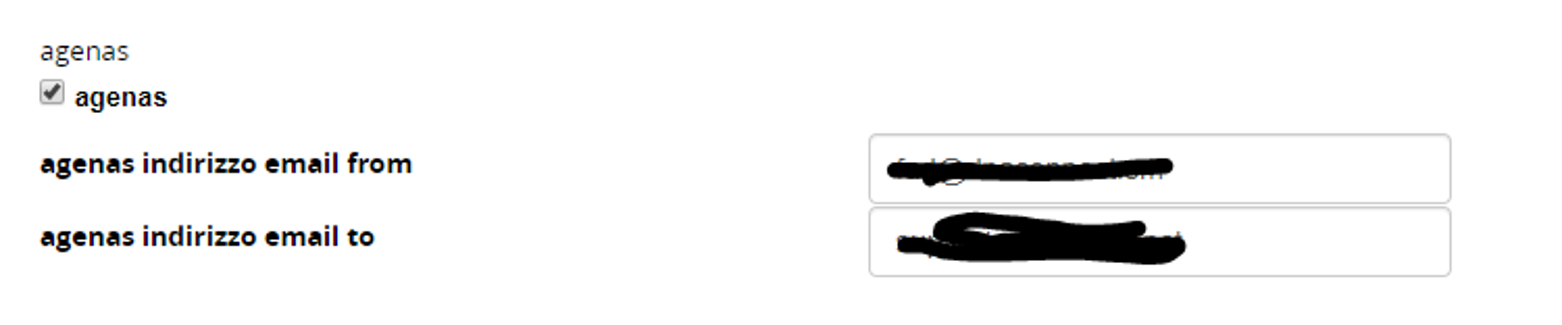
- Please flag “agenas” to enable the plugin
- insert the “from” email address
- insert the “to” email address (Agenas’ email address)
1.3 Plugin Removal
To remove the plugin, go to
settings > plugin manager
- Click “Deactivate”
- Click “Uninstall”
- Click “Plugin Purge”
1.4 Reinstalling and updating the Plugin
To update or reinstall the plugin
- Follow the uninstallation procedure
- Go to:
Settings > System Configuration > Advanced > click “Clear Twig Cache”
2 Using Agenas plugin
2.1 Creating a Customer Satisfaction test.
The plugin lets you use the Customer Satisfaction test to enable users to send a copy of their questionnaire to Agenas.
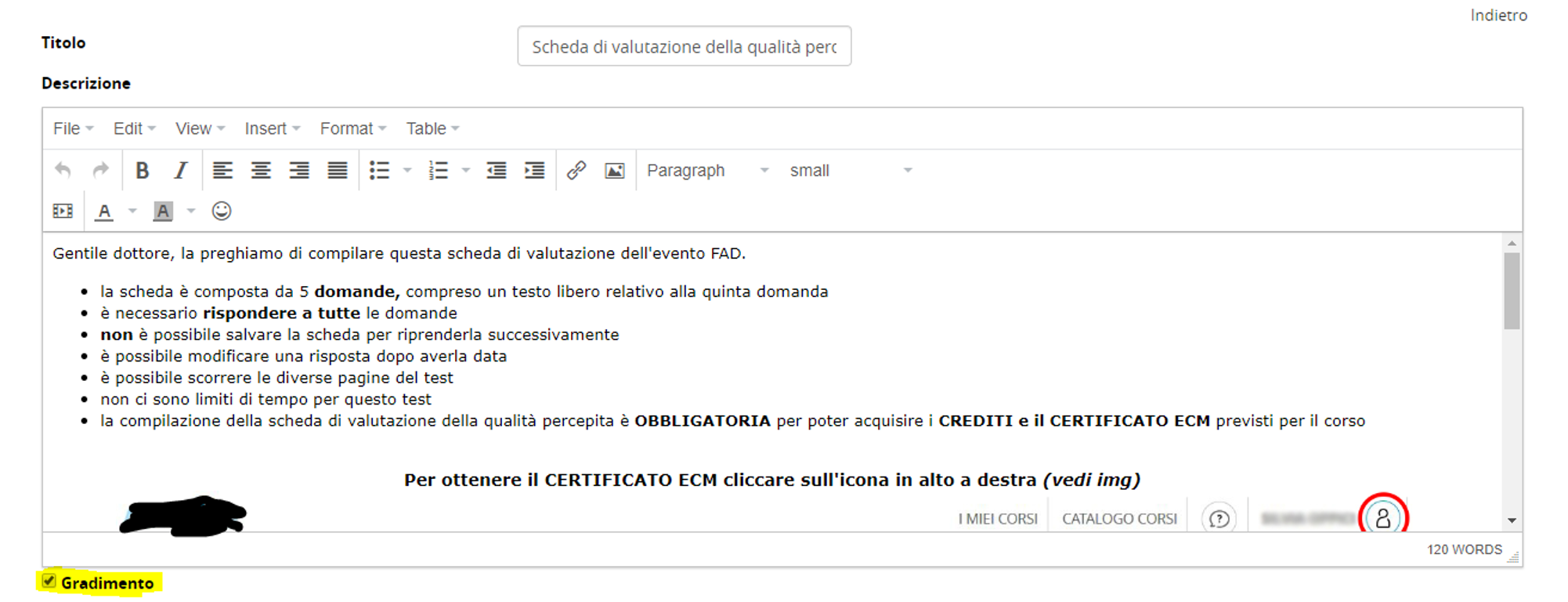
Please add a regular Forma Lms test. Add the description and, in the bottom left area, you will find a checkbox. Flag the “gradimento” checkbox to enable using the test as an ECM Customer Satisfaction test.
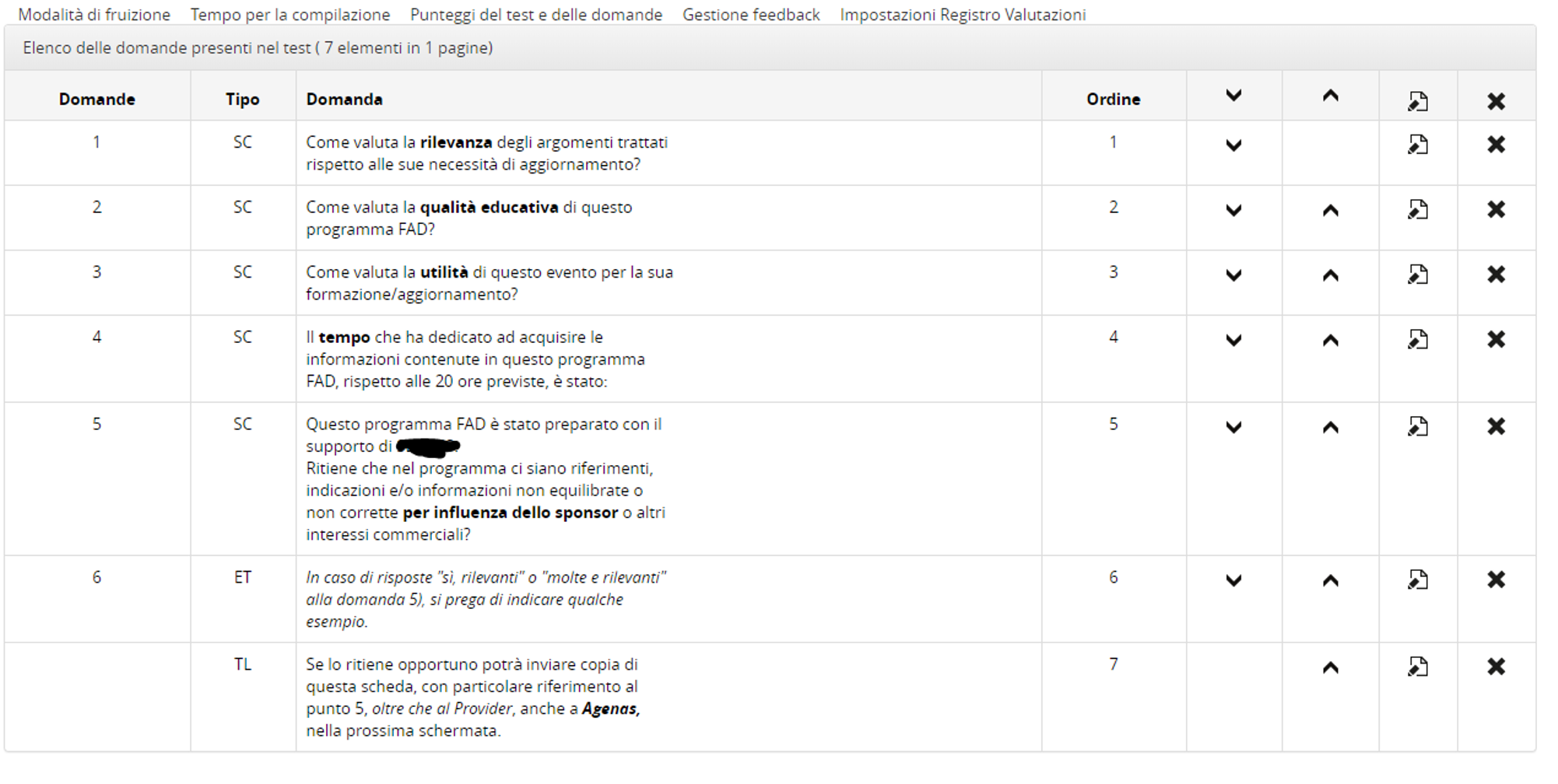
Then insert the 5 questions requested by Agenas. All of them need to be SC questions. You should also inser an ET (extended text) question to let users insert some examples of commercial bias, and a TL (title) element to tell users that in the following screen they will be able to send the test to Agenas.
Question 5 is the one where you should insert the reference to the sponsor, if applicable.
Remember: even if there is no right or wrong question, you are still supposed to insert a “correct” answer.
Please remember to set a “0” passmark (in the score management section)
Also remember (test option) to:
- not to show the score at the end
- not to show the automatic test information
That’s all.
2.2 What the user will see
After completing the test, the user will be prompted in this screen, with the preselected “no”. He is supposed to click on “conferma registrazione del test”.