Doko
Plugin Installation, removal and update
Global settings
Plugin settings are available under
Admin > Settings > Plugin Manager > Doko > Settings
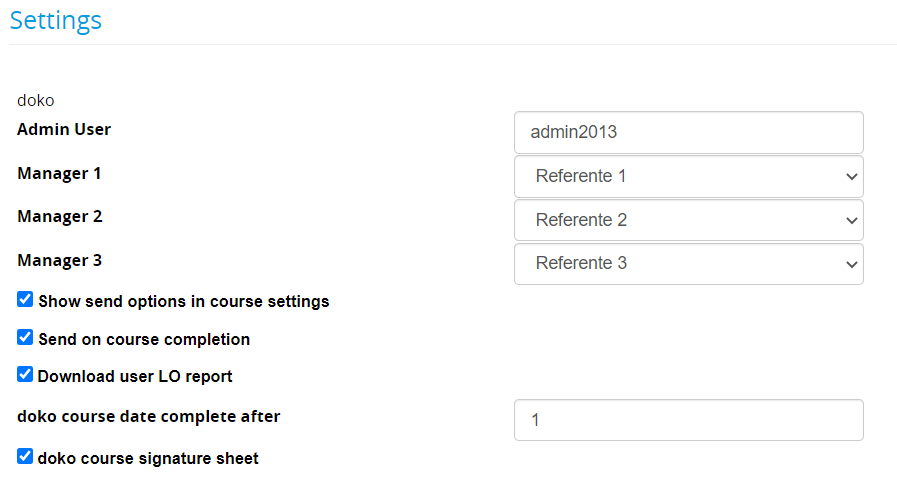
- Admin User: set a superadmin username to be used for cron automation (only needed if you are using cron to send emails)
- Manager: set up to 3 custom user fields containing extra recipient emails
- Send on course completion: a zip package containing the certificate and the selected documents will be automatically sent to the selected recipients
- Download user LO report: enables the generation of a PDF report for each user
- Doko course signature sheet: enables the creation of a signature sheet to be printed for each course
- Custom fields: select course and edition customfields to be added to signature sheets header
Using Doko
Doko “Package”
When a user completes a course, Doko creates a zip package containing several documents:
- Course Certificate
- LO Report
- Printout of final test answers
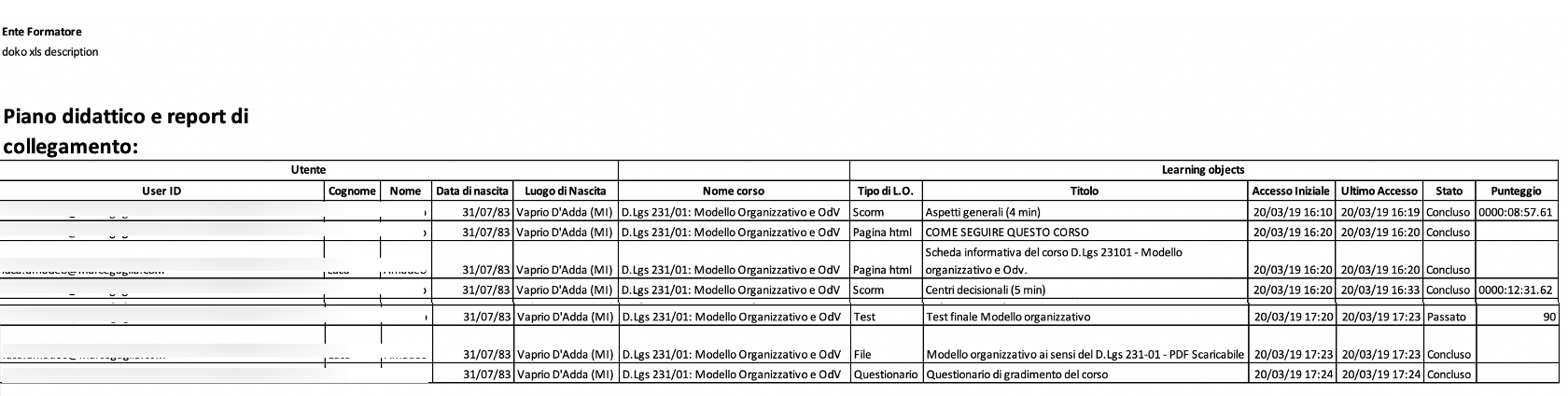
- Detailed course trackings: a XLS file reporting the details of user
[Immagine]
The package is available in two ways:
- Automatic Mailing to the student and/or his managers (See course settings)
- Manual download from the users stats page in course teacher/stats area:
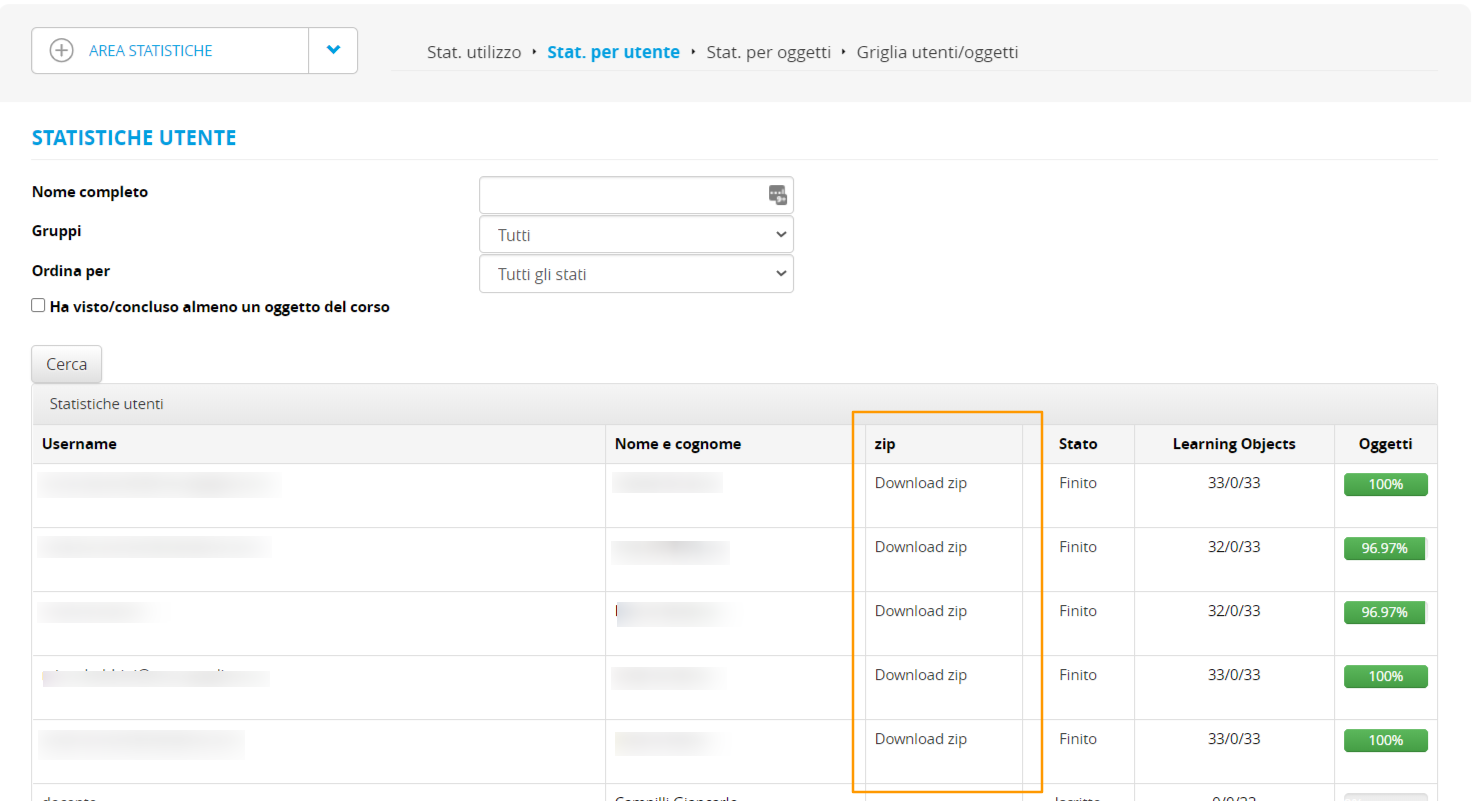
The .zip file includes:
- the certificate in a .pdf format
- the .xls reporting with the user’s tracking data (the same that can be found under the users-object grid)
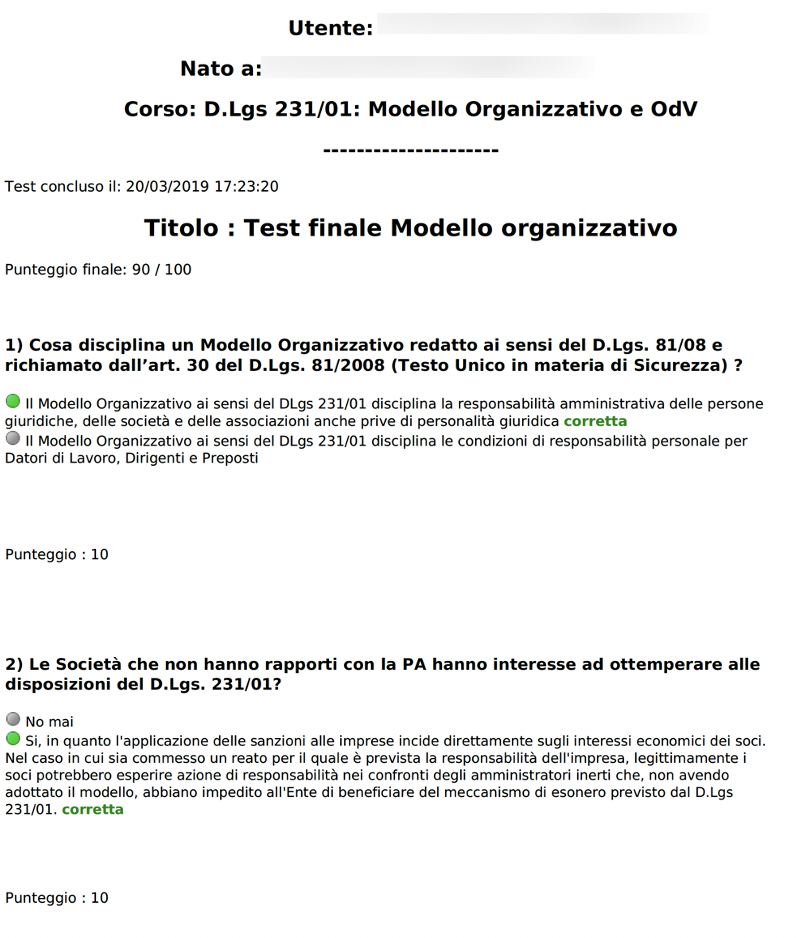
- A test printout, with the detail of the answers given by the user in the final test
Course Settings
The plugin adds a new section in the course creation or editing wizard.
It’s called “course certificate delivery” and it appears under “documents upload”.
If you expand this section, these are the settings you can configure:
- e-mail settings and recipients → dropdown menu, where you can decide to send your documents to
- nobody
- student only
- student and managers (if you have set them under “configuration”)
If you send without selecting the other options, your e-mail will include the user’s certificate and the print-out of the tests completed by the user.
You can also include other documents, see below:
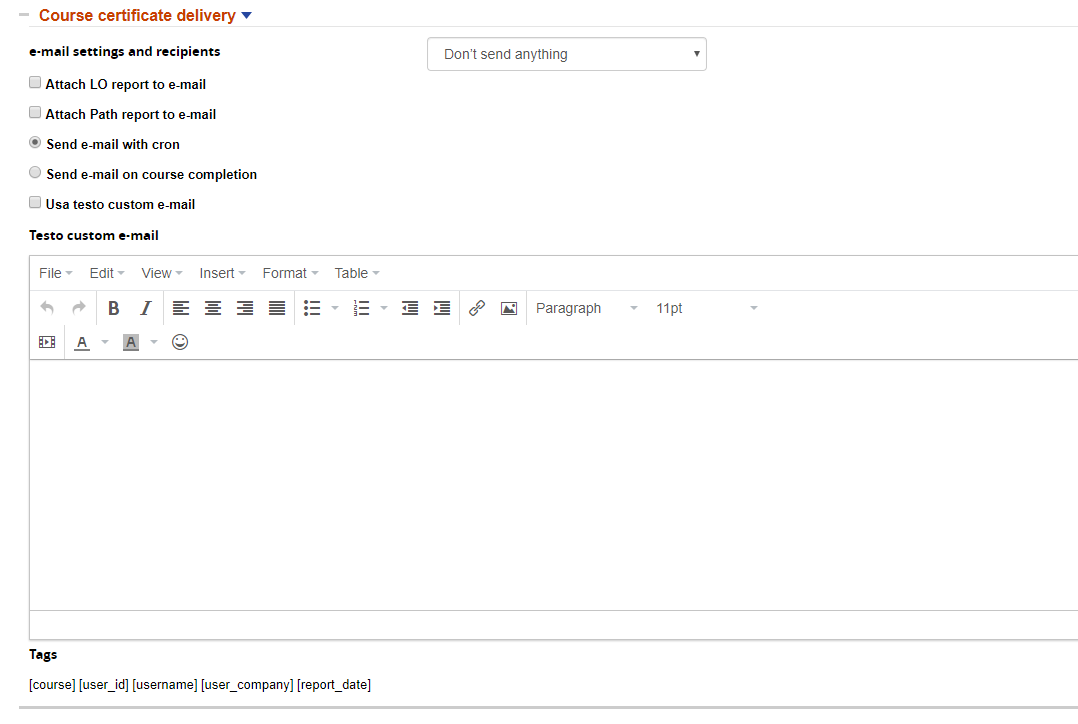
- attach LO report to e-mail → this allows you to automatically export the Excel file related to the users-object grid for that user and that course and to attach it to the e-mail
- attach Path report → it allows you to attach a PDF file with the same information as above. This is meant for financed projects, it can include static information.
Finally, the e-mail can be sent either upon course completion (once every time a course has been completed) or with a cron (once a day).
Custom Text
If you don’t flag “use custom text”, the e-mail will be sent with the text that you set under language management.
If you flag it, then you’ll be able to have a different customized text for every course. You’ll also be able to use the tags that you see in the image above, dynamically customizing the text with the user ID, the date, the company, and the course name.
LO Report
A pdf document reporting the completion status on LO, that can be printed and signed by the student
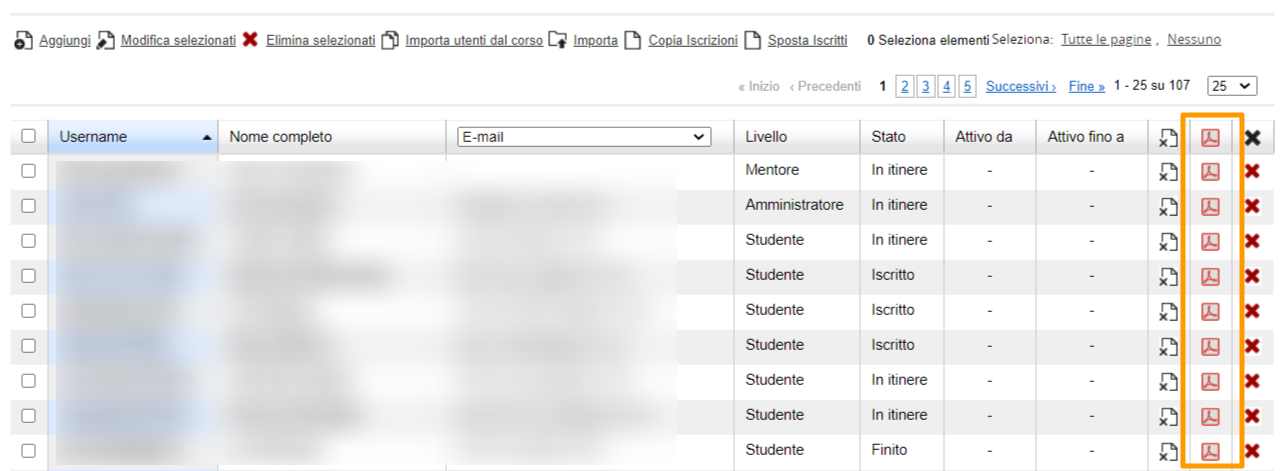
This can be inserted in the doko package, or manually generated for each student from the course subscription management page:
Signature Sheet
This feature generates a PDF document to collect students signatures in classroom courses.
The Signature Sheet can be downloaded clicking on the new icon in the course list:

Settings
By default, the signature sheet will add the course logo as a header.
You can set a custom header and footer in course settings:
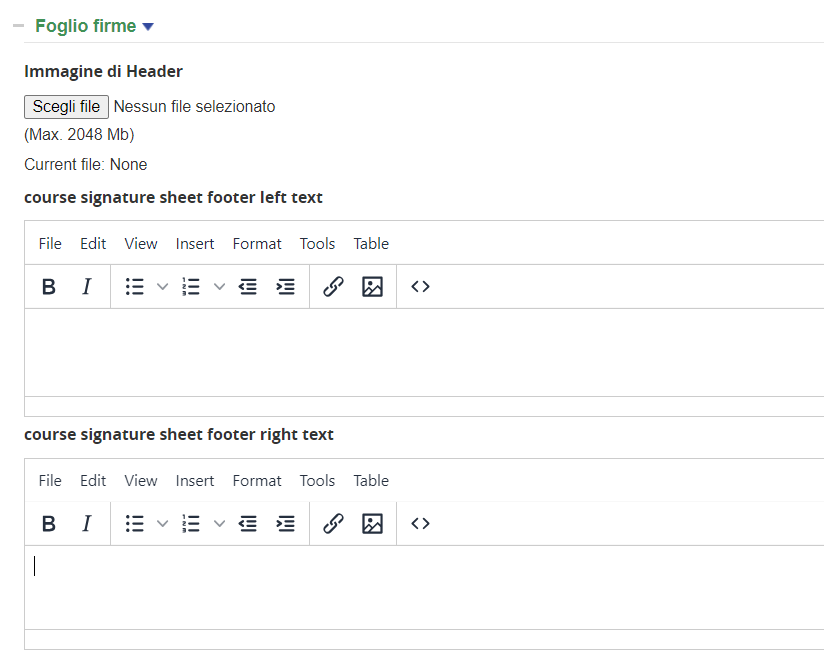
Adviced size for the header image is 720x100px
If no header image is set, course and sponsor logos will be used instead.
A default header image can be named course_signature_sheet_header_image.jpg and uploaded via FTP under /files/Doko/signature
- Header Image: upload a banner header image
- Footer Left
- Footer Right