
Templedit
La sezione dedicata a Templedit sisection trovais located in Amministrazione(rotellaAdministration ingranaggio)(gear wheel) > ConfigurazioneConfiguration > templedit.
DaFrom questathis paginapage siyou notacan unsee a standard template, and you can insert a new template standard,from e si potrà inserire un nuovo template dal pulsantethe "Add template" obutton modificareor unmodify templatean giàalready creato.created template.
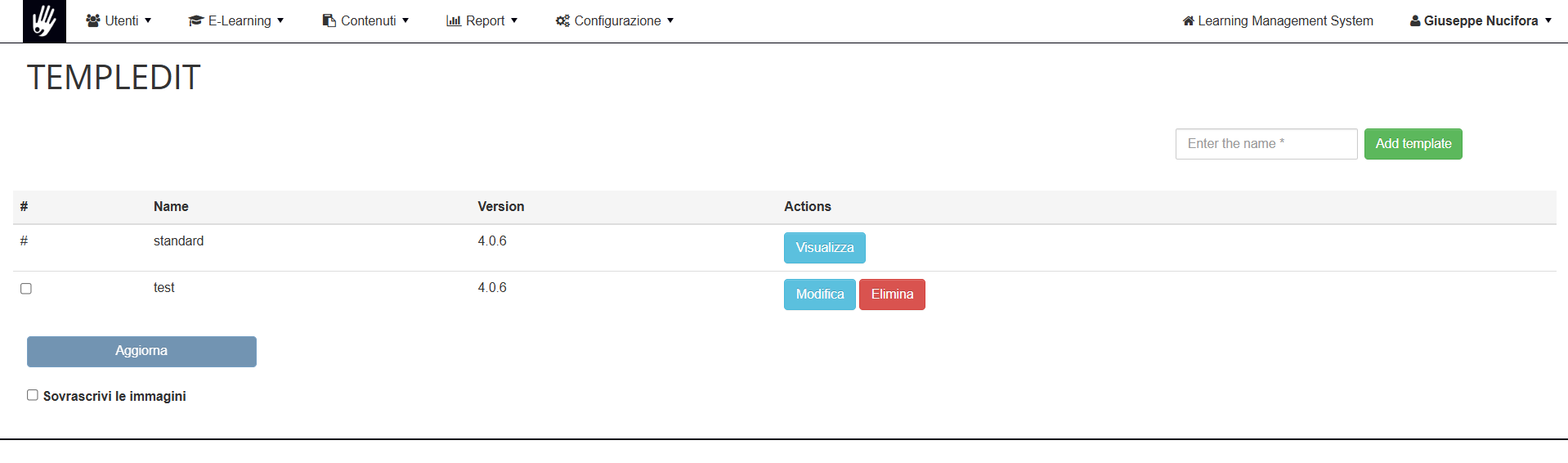
UnaOnce voltacreated, creatoyou ècan possibileconfigure configurare il proprioyour template cliccandoby suclicking modifica,on saràedit, quindiyou possibile:will then be able to:
· ImpostareSet ithe coloribasic dicolors baseof delthe modellotemplate
· CaricareUpload logo, immaginecover diimage copertina eand favicon
· ModificareEdit ilthe custom.css file: all styles in this file custom.css:will tuttioverwrite gli stili in questo file sovrascriveranno le classithe standard eclasses iand coloricolors impostatiset in templedit.Nota:Note: nondo rimuoverenot laremove primathe rigafirst line @import url('templedit.css'); chewhich vieneis aggiuntaadded alwhen primoyou salvataggiofirst delsave the template
Legenda Colori:
A Seguire una piccola legenda delle voci dei colori da poter impostare in modo da agevolare l'utente ad impostare il proprio stile.
N.B.Color abbiamoLegend:
A iBelow variis campia consmall colorilegend differentiof inthe modocolor daentries renderethat chiaracan labe loroset visualizzazione.to help the user set their own style.
We have set the various fields with different colors to make their display clear.
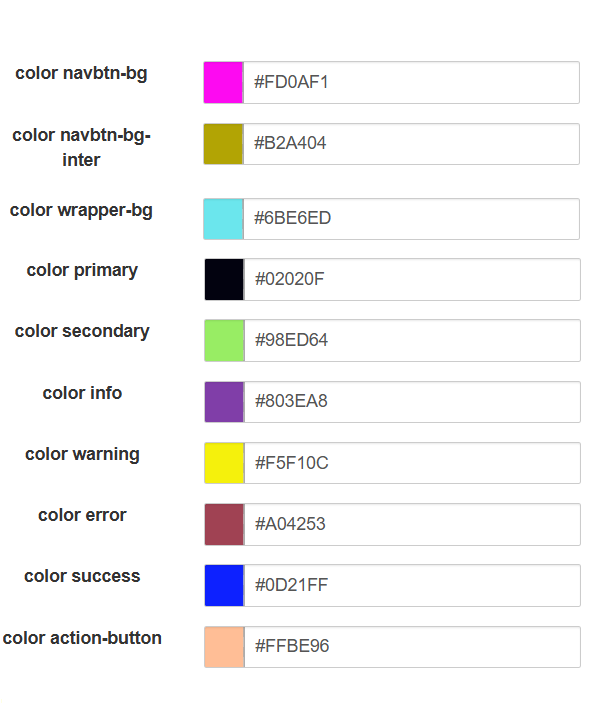
2.
3. color wrapper-bg:
4. color primary:
5. color secondary:
6.
7. color warning:
8. color error:
9.
10. color action-button:
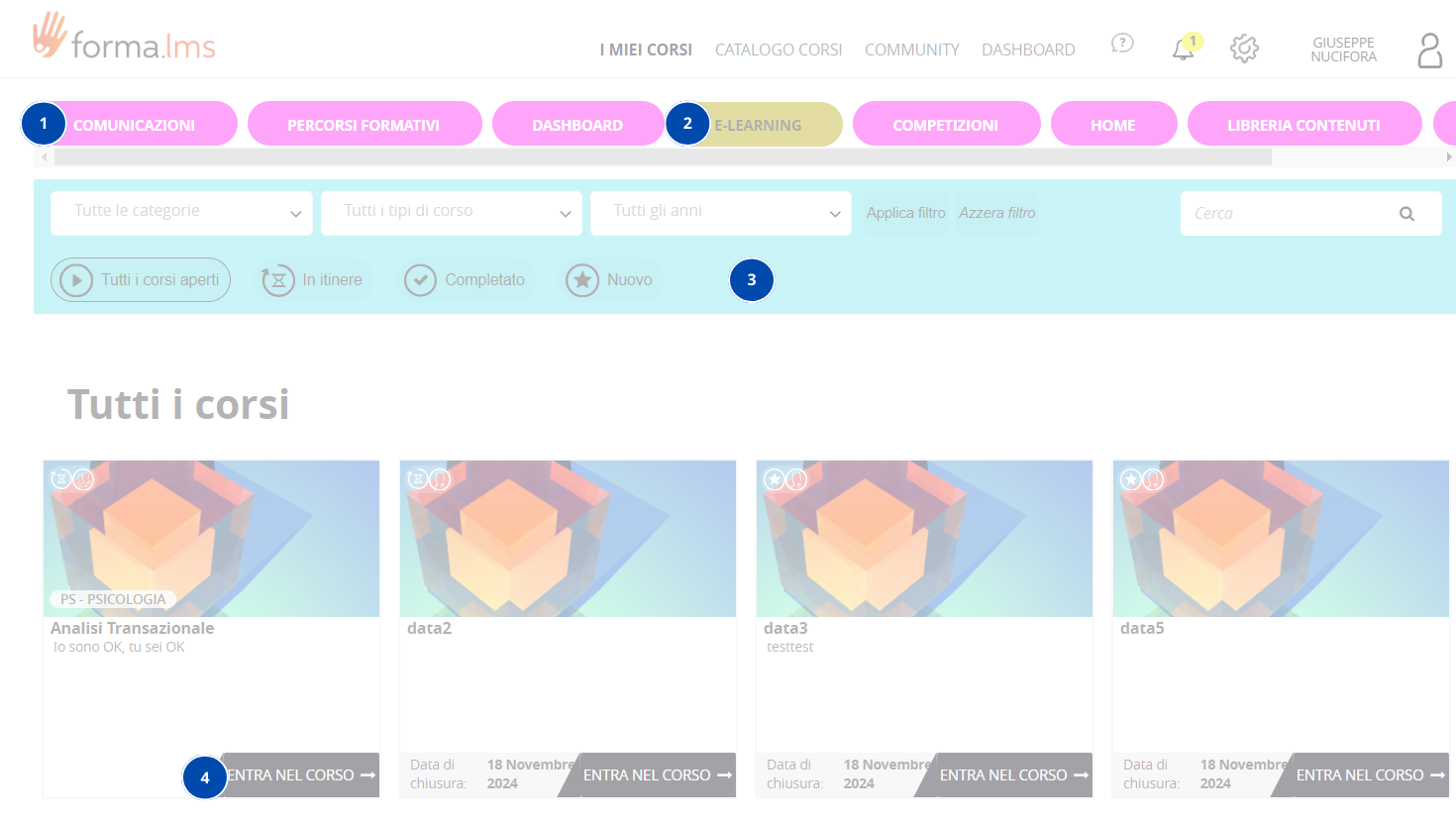
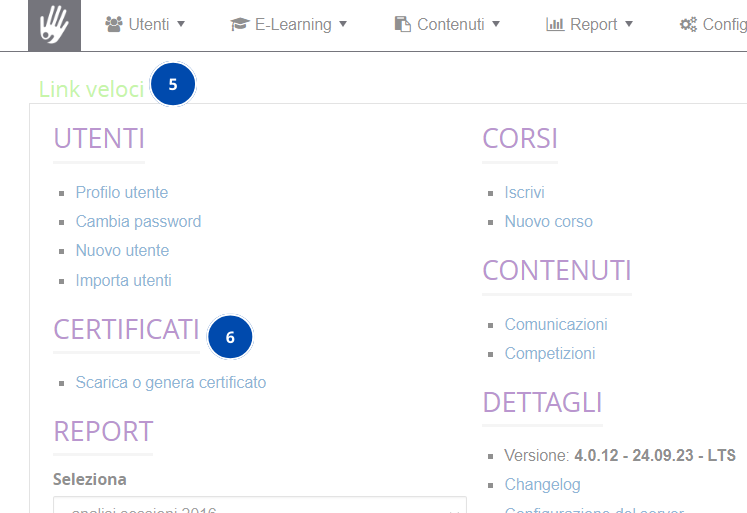
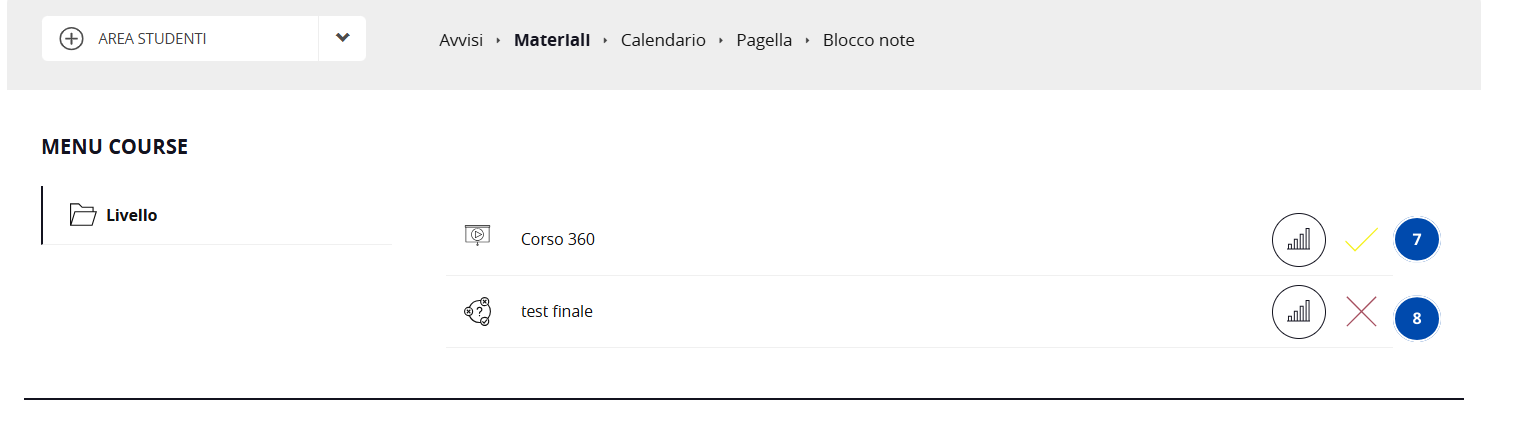
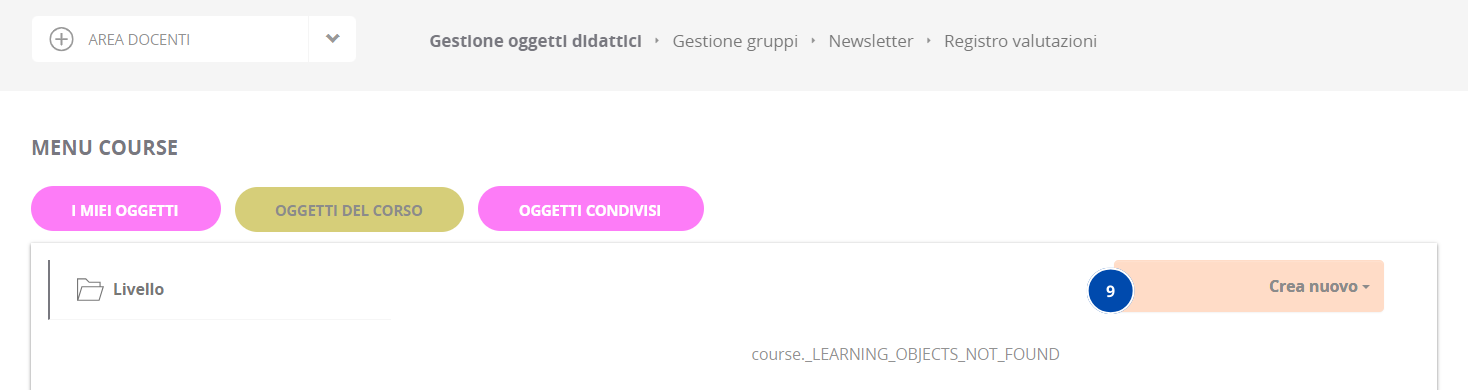
LaThe legendalegend sopraabove is intended to guide the user in setting up their own style for the platform, the images used serve peras guidareexamples l’utenteand nell’impostareit ilis propriopossible stileto allafind piattaforma,any letabs, immaginibanners, utilizzate servono come esempio ed è possibile ritrovare eventuali tab,banner,ecc etc. in altreother partiparts dellaof piattaforma.the platform.