
API Integration
Integrating with Forma Cloud APIs and Postman
Overview
Forma Cloud provides a complete set of REST APIs that allow you to perform the most common operations on users, courses, enrollments, certificates, and reporting.
Forma Cloud uses the standard APIs of Forma LMS.
Official Forma LMS API Documentation:
https://docs.google.com/document/d/1bbNL7AR_2gbescLkgBIL3Cu7BZ9tZLky9spM3bfkZjA/edit?tab=t.0
Common Use Cases
The APIs can be used to integrate the platform with other corporate systems.
HR System Synchronization
- Automatic user creation in the platform
- User profile updates
- Deactivation of terminated employees
HSE Management Integration
- Export of course completion certificates
- Monitoring mandatory training expiration dates
- Synchronization of compliance training status
Business Intelligence & Reporting
- Extraction of course completion data
- Monitoring training KPIs
- Integration with external analytics tools
Corporate Portal Integration
- Single Sign-On (SSO)
- Display of training status in company intranet
- Custom dashboards
Enabling the APIs in Forma Cloud
APIs can be enabled and configured directly from your platform.
Configuration Path:
Admin > System Configuration > Settings > API & SSO
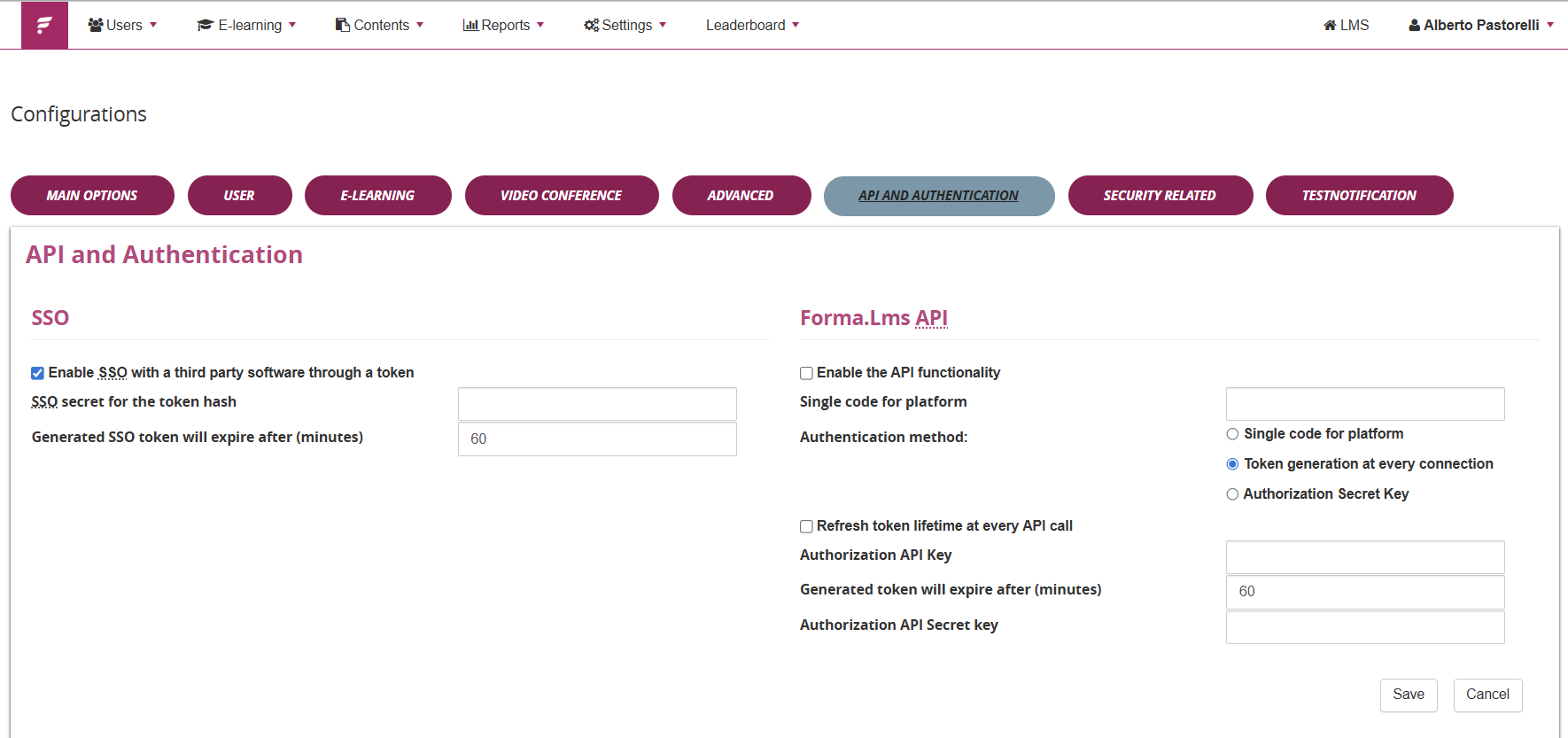
Here you can:
- Enable API access
- Configure security parameters
- Manage authentication and tokens
- Configure SSO if required (Check the Forma Cloud SSO documentation)
Forma LMS official system configuration guide: https://docs2.formalms.org/books/reference-guide/page/system-configuration
Exporting the Postman Collection from Forma Factory
From your Forma Factory customer area, you can:
- Export a ready-to-use Postman Collection
- Download the related connection JSON files
- Quickly import API calls into Postman
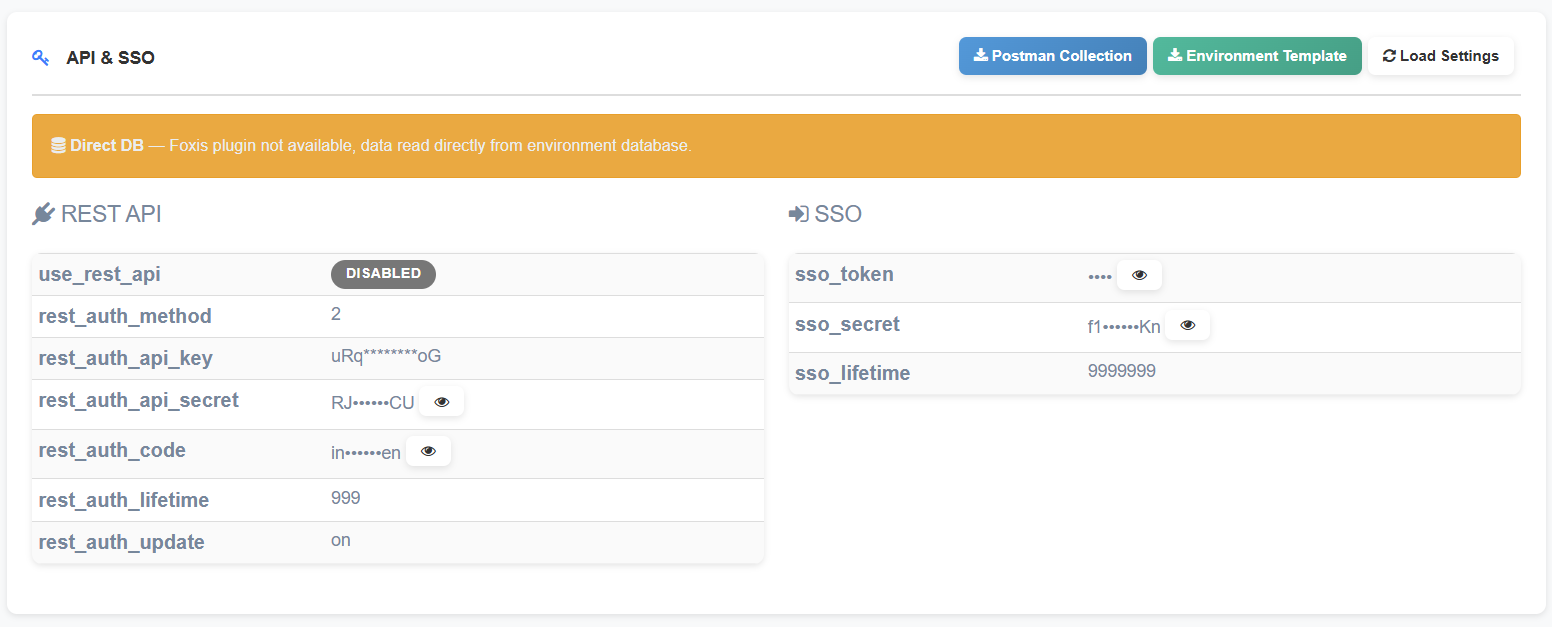
This avoids manual configuration and speeds up testing.
What is Postman?
Postman is a popular tool for testing and developing APIs in a simple and visual way.
- Send HTTP requests (GET, POST, PUT, DELETE)
- Add headers and authentication tokens
- Manage environments (e.g., production / staging)
- Save collections of API calls
- Write automated tests on responses
It is available as a desktop application and as a web application.
How to Use Postman with Forma Cloud
1. Import the Collection
- Open Postman
- Click Import
- Select the .json file exported from Forma Factory
2. Configure the Environment
Set the main variables:
- base_url
- client_id (if required)
- client_secret or token
3. Authenticate
Use the authentication endpoint to obtain an access token as described in the official documentation.
Execute API Calls
Select the desired endpoint (e.g., users, courses, enrollments) and send the request.
Security & Best Practices
- Always test you API calls on the provided sandbox environment (if not active, just ask the helpdesk ;) ).
- Never share tokens or credentials
- Use separate environments for testing and production
- Limit API user permissions
- Monitor API usage through system logs
Official Resources
- Forma LMS API Documentation:
https://docs.google.com/document/d/1bbNL7AR_2gbescLkgBIL3Cu7BZ9tZLky9spM3bfkZjA/edit?tab=t.0 - System Configuration Guide:
https://docs2.formalms.org/books/reference-guide/page/system-configuration